
Features
Padrino Admin
Padrino comes shipped with a slick and beautiful Admin Interface, with the following features:
| Feature | Description |
|---|---|
| Orm Agnostic | Adapters for activerecord, sequel, mongoid |
| Authentication | User Authentication Support, User Authorization Management |
| Template Agnostic | ERB, Haml and Slim Rendering Support |
| Scaffold | You can create a new "admin interface" by providing a single Model |
| MultiLanguage | 21 localizations: Brazilian Portuguese, Chinese (Simplified and Traditional), Czech, Danish, Dutch, English, French, German, Hungarian, Italian, Japanese, Latvian, Norwegian, Polish, Romanian, Russian, Spanish, Swedish, Turkish and Ukrainian |
Admin Usage
Create a new project:
$ padrino g project admin-test-sample -d activerecord
$ cd admin-test-sample && bundle install && bundle binstubs --all
Create the admin application:
$ padrino g admin -e erb
Follow the instructions in your terminal and provide a valid email and password for your newly created admin account:
- edit your config/database.rb
- create the database:
$ bundle exec rake db:create - migrate your database:
$ bundle exec rake db:migrate - seed your database with some data:
$ bundle exec rake db:seed
Your admin section is now "setup": you can start padrino padrino s and
point your web browser to http://localhost:3000/admin and log in with your
admin account credentials.
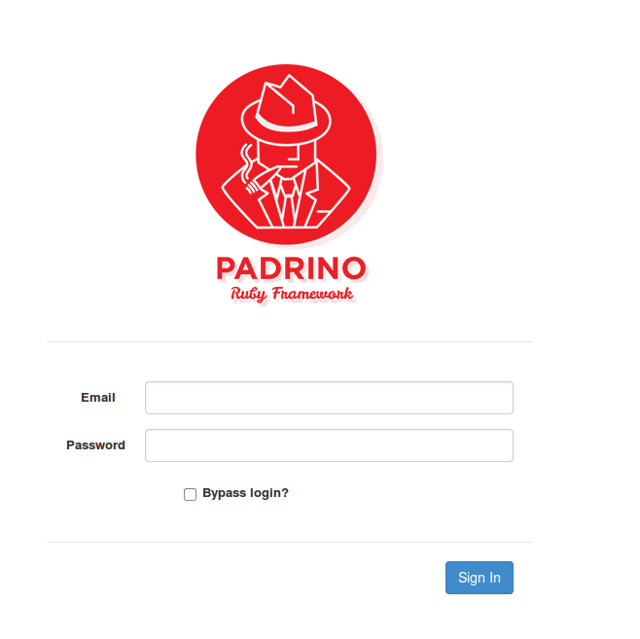
If you need to create a "scaffold", (basic CRUD actions) create a model, migrate your database, generate your scaffolding folder structure and views and add those to your admin section by running the following commands:
$ padrino g model post title:string body:text
$ padrino rake db:migrate
$ padrino g admin_page post
$ padrino s
That's it! Browse to http://localhost:3000/admin and access your model by clicking on the newly created tab on your admin navbar: there you can create, edit, destroy and display your objects.
You can find the sample app on github.
Admin Authentication
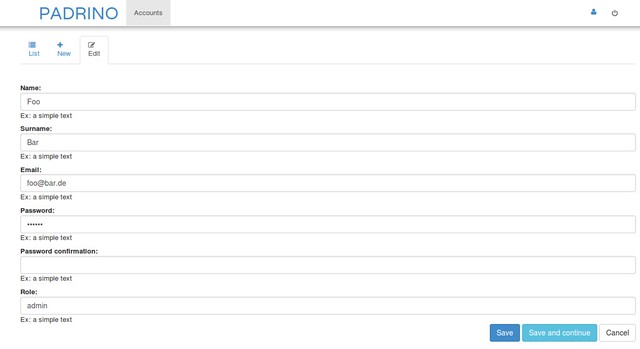
Padrino Admin uses a single model Account for managing roles, memberships and permissions (User Authentication and Authorization).
Scenario E-commerce (User Authentication)
To use a practical example, let's examine a common e-commerce application
scenario, where we need to limit access to some of our controllers actions;
we can easily accomplish this by editing app.rb accordingly:
class MyEcommerce < Padrino::Application
  register Padrino::Admin::AccessControl

  enable :authentication
  enable :store_location
  set    :login_page, '/login'

  access_control.roles_for :any do |role|
    role.protect '/customer/orders'
    role.protect '/cart/checkout'
  end
end
In the above example we protect paths starting with /customer/orders
and /cart/checkout. The result will be that an unauthenticated user will
not be able to access those actions, and they will be asked to authenticate;
first by visiting our :login_page defined as /login and by providing their
login credentials (default authentication behavior will use email and password).
When successfully logged in, they will be granted access to the two protected pages.
Admin Scenario (User Authorization)
Another common scenario is needing multiple roles with various level of access, instead of providing all management functionality to all logged in users.
Consider a site where you want to allow unauthenticated users to login, an editor to manage posts and categories, and an admin role to manage settings.
The Padrino admin generator will by default create an Account model with a
role attribute which you can combine with the project_module method to
easily manage which functionality is available to your users.
class Admin < Padrino::Application
  register Padrino::Admin::AccessControl

  enable :authentication
  disable :store_location
  set :login_page, '/admin/sessions/new'

  access_control.roles_for :any do |role|
    role.protect '/'
    role.allow '/sessions'
  end

  access_control.roles_for :admin do |role|
    role.project_module :settings, '/settings'
  end

  access_control.roles_for :editor do |role|
    role.project_module :posts, '/posts'
    role.project_module :categories, '/categories'
  end
end
In the above example, we protect the entire admin section (all paths starting
with "/") with the only exception of /sessions and the paths under it,
giving our unauthenticated users the possibility to log in by redirecting them
to our login page and asking them to provide their email and password.
If we are logged in as an admin (account.role == 'admin') we can open
/settings, but not /posts or /categories, which belong to the editor role.
If we are logged in as an editor (account.role == 'editor') we can open
/posts and /categories, but not /settings. Paths that no role lists, such
as a custom page you haven't added to a module, are open to every logged-in
account.
How paths are matched
allow, protect and project_module are checked against the request path
inside the app, without its mount point (/posts for /admin/posts):
- The path is percent-decoded first, so
/%70ostsis checked as/posts. - A String given to
allow(orproject_module) matches on a path boundary:role.allow '/posts'covers/posts,/posts/1and/posts.json, but not/posts_admin. Allow such paths with their own rule. protectin aroles_for :anyblock applies to visitors who aren't logged in; logged-in accounts skip it. A String given to it covers every path that starts with it, sorole.protect '/posts'also protects/posts_admin. In another role's block,protectrefuses the path to accounts of the other roles, not to visitors or to that role.- A logged-in account is refused the paths given to other roles, by the same
plain prefix, unless a
roles_for :anyrule or the account's own role allows them: in the example above, an admin can't open/posts_admineither. To give admins/posts_admin, allow it inroles_for :admin; an allow inroles_for :anywould also open it to visitors. - Strings are literal paths. To match a pattern, pass a Regexp; it matches
from the start of the path, so end it with
\zto match the whole path:
access_control.roles_for :any do |role|
  role.protect '/'
  role.allow '/sessions'
  role.allow %r{\A/posts/\d+\z}
end
Custom Admin Pages and Bootstrap
Admins generated with padrino g admin use Bootstrap 3.1 with jQuery 3.7.1.
With this jQuery, a Bootstrap collapse, tab, modal or alert link with a bare
href="#" raises a JavaScript error and does nothing. Give it a data-target
that names its element instead:
<!-- doesn't work with jQuery 3 -->
<a data-toggle="collapse" href="#">Filters</a>
<!-- works -->
<a data-toggle="collapse" href="#" data-target="#filters">Filters</a>
<div id="filters" class="collapse">...</div>
Sharing Sessions Between Mounted Applications
Sessions can be shared between mounted applications by setting a :session_id
with the line set :session_id, "your_session_id" in each apps app.rb.
Contributing Persistence Adapters
If you are planning to use padrino with an adapter other than the currently supported ones (activerecord, sequel and mongoid), such as ohm or ruby-driver, and you want to contribute to the project by adding support for it, be sure to check out the adding components guide.